Given the fact I’ve only installed Omarchy this morning I’m going to hold off on a truely Hckd Setup / Omarchy Guide and keep this at first impressions and opinions.
Omarchy is an Arch based Linux Distro Packaged by DHH Creator of Ruby on Rails
Intro
This weekend there has been a social blip to the “Engineering FOMO” Youtube space. Seemly overnight everyone now knows of Omarchy - including myself.
I’ve always fallen victim of my own need to install an configure any system from the ground up, but always poking at the configuration, layout, whatever minor thing is slowing you down in your “TBD Desired workflow.” Having true Power of Customization is what what makes linux… linux.
This last year I’ve felt the need to start spending less time fighting and poking at things and whenever I pullout a laptop just wanted to get X, Y, Z done as fast as possible. Which meant I’ve fallen away from my Linux desktop and have been back to using MacOs.
I was recently looking for a “Developer Distro” - at the time Omarchy didn’t stand out (Probably due to the Arch base). I wanted to get back to the terminal but wanted a out of box experience. PopOs Cosmo didn’t interest me, but probably the most well known option in this category.
This lead to a rabit hole of trying to get the best I3 experience on top of Gnome that I could. Having something functional and looked pretty good but not truely magical.
Seeing Hyprland for the first time through an Ormarchy Intro I felt the need to give it a go. I attempted the “Kool Ubuntu Hyperland” setup, but ended up borking the machine. With no Regrets made the switch to Omarchy.
Installation / Getting Started
Even at first glance - the selling feature is the “Out of the Box” setup and go. Coming preconfigured and more Important Pre Instlaled with a bunch of things out of the box.
Having been a Linux/DevOps Engineer for the better part of the decade knowing this hurt me. I mean after-all the Omarchy ISO is basically 8gb.
Thinking I could have a more control of the install I went the route of “Manual Installation”, Installing Arch Linux out of the box. Minor Flex but this just slowed me down, Installation is the same either way and would highly recommend just using the Bloated ISO if you want to go this route.
I’ve included this Bog video for ease of most people. This video helped me decide this was less of a “Gimick and something to try out” - as well as how to get started without fumbling around.
First Impressions
Hyprland is a dream, but it’s more than that - The deep roots around the Theme engine and the pop-up managers that build out the quick ease of getting you what you want without being limited by specific Distro knowledge really goes a long way.
This is an important callout - Having jumped around various Linux Distro’s the speed in which you can get a standard experience can vary quite a bit. Specializing in Redhat/Fedora always leaves me fumbling around for the “right” command on most Debian/Non-Redhat systems.
Old dogs struggle to learn new tricks, using the Omarchy Menu (SUPER + Alt + Space) keeps you from learning a thing and just move on with what you want / need to do. The super key for me was the Windows Key.
LazyVim / Neovim first
Not everyone will like this… frankly I was suprised to see this being deeply integrated out-of-the-box, but for me this saved me time and has been super cool.
Working from Servers Vim has been my go-to for a while. More recently to improve my “out-of-box” Vim experience I’ve been using LazyVim religiously on my MacOs.
Which is exactly what you get on Omarchy - Even double clicking on a text file from the File Explorer (SUPER + F) will launch a one-off Tiled Neovim window.
”Laptop” Usability
If you just run Linux on your Desktop you probably DGAF about this section, but I haven’t really enjoyed being tied to a specific power/cable or monitor for a bit now.
Laptop support varies greatly, Fingerprint readers and even lock screens aren’t always a given - yet the desire for that security and Protection always takes time and hardship to get working.
Again the Omarchy Menu allowed quick setup of a fingerprint that is deeply integrated into the overall Laptop experience.
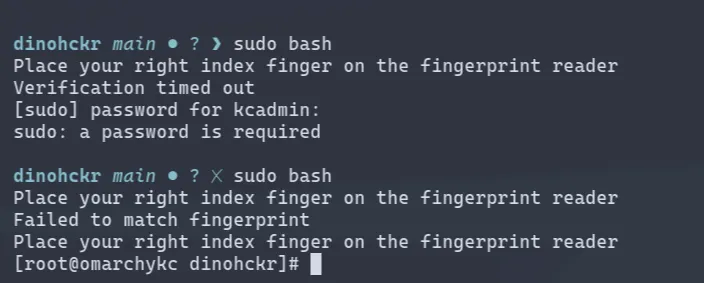
Even walking away from the laptop gives you a Nerdy slideshow of the Omarchy Logo and it just feels good.
How bad is the Bloat
Launching the app launcher (SUPER + Space) I found anywhere from 10-15 applications that I wouldn’t have installed myself over the lifetime of my laptop, the DHH Hey / Basecamp launchers feels out of place. But considering this is the DHH Beautiful Linux.... Blah Blah not unexpected. But really a launcer for X. 🫤
These Bleed into the Default Keybindings. Some Credit - Most of the unwanted launcers were ‘Launchers’ and not applications.
And with minimal effort can modify the default configs to avoid using anything you don’t want to use.
Does it actually help you Get Shit Done
Feeling the desire to document more of what I do and my life, seemed like capturing this experience through a blog post / starting a blog from the Ground up would help me get in the Groove of testing this OS and seeing it in action, and made me the Target audience for this Distro.
I’ll probably do an overview of the what this Blog is and some of thing powering it at some point. Static Site using Astro - I was able to get this all up and running without any Youtube tutorials. (Not my first failed project ☠️) but allowed me to be functional right from the get-go.
But if you found your way here - That means at some point I was able to achieve it all using Omarchy out of the box.
At this point in the article the site was still on
localhost. Getting distracted I got the site hosted using Gitlab Pages. You can read about that here
and to wrap things up here.
Overall First Day Thoughts
I liked it. Seems like the right thing that somebody should fork and a create offer a minimal variant of - just to truely keep it as Out-of-the-box for the few of us that still want that option.
I shouldn’t need to tone down the install before getting started (aka Windows)
I do need to sort out a resoultion thing? Things look good but some of the window sizing seems off. I didn’t want to dink with it today but didn’t impact overall functionality of things.